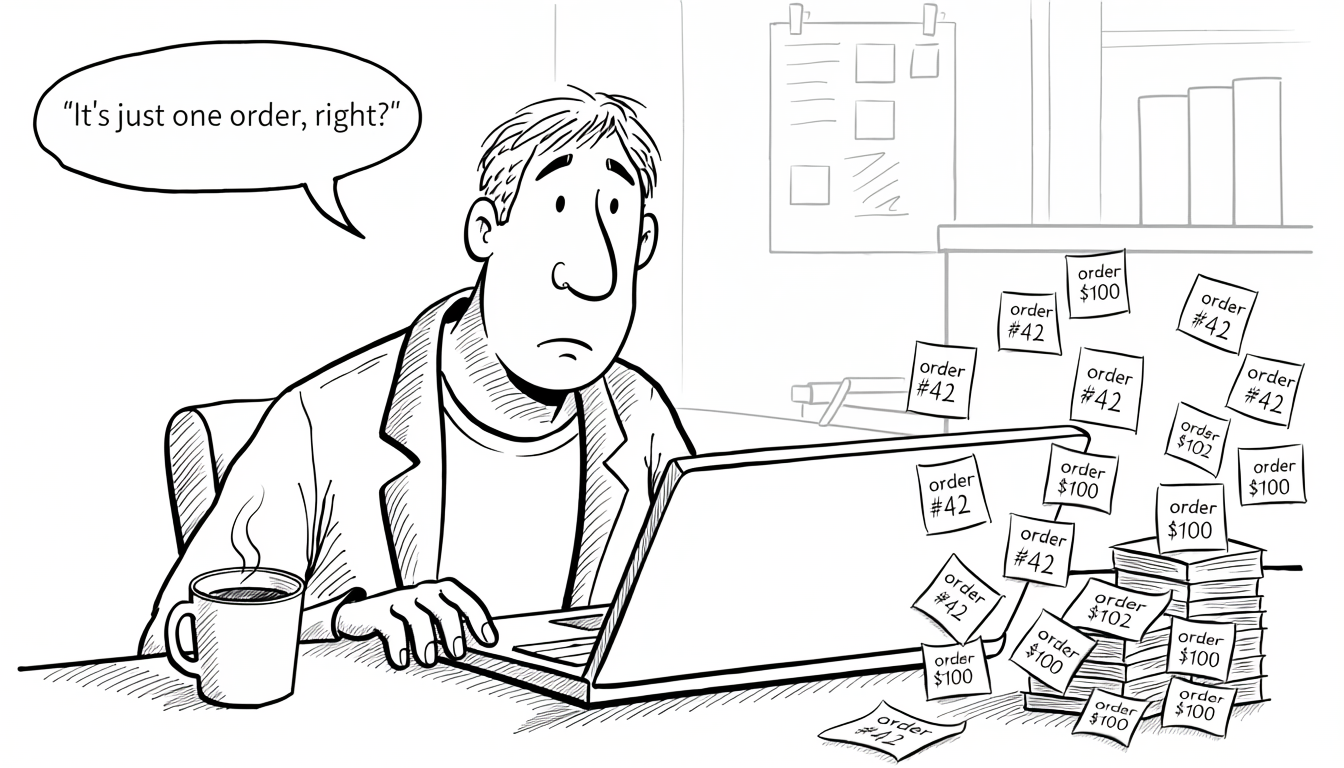
SUM, COUNT, AVG) inflate without producing any error. The fix is understanding the cardinality of every join before writing the aggregation, not more careful SQL.There’s a category of SQL bug that never throws an error, never fails code review, and never shows up in tests. The query runs. The results look reasonable. Someone ships a dashboard, and a month later finance asks why revenue is 40% higher than what the billing system reports. That 40% isn’t a bug in the data; it’s a join that multiplied rows, and a SUM that dutifully added them all up.
The tricky part is that structurally the query is fine. The joins are valid. The filters are valid. The aggregation is valid. Every individual piece is correct. The cardinality of the relationships (how many child rows exist per parent, and how that changes when multiple child tables are joined at once) is doing damage the query never surfaces.
Cardinality, briefly
Cardinality describes the number of rows on each side of a relationship:
- One-to-one (1:1). Each row in table A matches at most one row in table B. Less common than 1:N, but legitimately used for optional extensions (splitting off rarely-accessed or sensitive columns into a side table), inheritance patterns (a base table with specialized sub-tables), or separating hot and cold data for caching and storage reasons. A 1:1 join preserves row count.
- One-to-many (1:N). Each row in A matches zero or more rows in B. The common case: one order has many order items, one user has many sessions, one post has many comments. Joining A to B duplicates the parent row once per matching child. If a parent has zero children, an inner join drops it entirely; a left join keeps it with NULLs on the child side. This difference matters and it’s the source of another whole class of silent bugs.
- Many-to-many (N:M). Rows in A match many rows in B and vice versa. Always implemented through a bridge table (junction table) that sits between them. A bridge is two 1:N relationships back-to-back: the bridge table holds a foreign key to A and a foreign key to B, with each row pairing one A with one B. A has many bridge rows, and B has many bridge rows. Joining through it multiplies by the cardinality on both sides.
The shape of the relationship determines what a join does to row counts. This is where aggregations start to lie.
user_profiles.user_id to users.id with a unique constraint is 1:1 at the schema level. A column typed as 1:N by constraint can be 1:1 in practice; if every order in your system happens to have exactly one line item, the relationship is legally 1:N but effectively 1:1. This matters for query planning (the optimizer uses constraints, not observed data), index choice, and reasoning about whether a join can actually multiply rows. A query that’s safe against the current data can break as soon as the data starts exercising the cardinality the schema permits.The row multiplication problem
The examples in this article use a deliberately simple customers / orders / order_items schema so the mechanics are easy to follow. In real systems the shape changes constantly: invoices and payments, subscriptions and usage events, tickets and messages, events and dimensions in a warehouse. The permutations are endless, but the underlying failure is the same: a join that multiplies rows in a way the author didn’t expect, feeding an aggregation that now lies. Once the pattern is visible in one schema, it’s visible everywhere.
Consider a schema everyone has seen some version of:
| |
A question: what’s the total revenue per customer? The obvious query:
| |
This is correct. One row per order, total_cents summed per customer. Now someone asks: “can we also see how many items they bought?” The change looks trivial; add a join and a count:
| |
The items_purchased count is correct. The revenue is wrong.
Here’s what happened. orders to order_items is 1:N. Joining them multiplies each order row by the number of items it contains. An order with 5 items now appears 5 times in the result set, once per item. total_cents, which lives on the orders row, is duplicated in each of those 5 copies.
SUM(o.total_cents) now sums the same order total once per item. A $100 order with 5 items contributes $500. Revenue is inflated by the average number of items per order.
The query runs. The numbers look like revenue. Nothing is flagged. The dashboard ships.
The bridge table trap
Many-to-many relationships make this problem worse because the multiplication happens in both directions. Take a schema with products, orders, and promotions:
| |
An order item can have multiple promotions applied to it (a percentage discount stacked with a free shipping promo). Query: total revenue, broken down by promotion:
| |
If an order item had two promotions, its price_cents shows up twice (once under each promotion). Sum those up and total revenue exceeds actual revenue. Worse, if you then compare “sum across all promotions” to “total revenue from order_items,” the numbers don’t tie out, and there’s no obvious reason why.
The bridge table is doing exactly what it’s supposed to do. The query is doing exactly what the SQL says. The meaning of the aggregation drifts as soon as you cross a many-to-many boundary.
A related trap: date filters across joined tables
A variation of the grain problem shows up in schemas where related tables each carry their own independently-moving date column: orders vs. shipments, subscriptions vs. invoices, tickets vs. updates, orders vs. returns. When a question is time-bounded (“Q1 revenue from items shipped in Q1”), the date filter has to land on the column that matches the question. Filtering on both tables “to be safe” silently excludes rows whose dates diverge. An order placed in December with items shipping in January is a Q1 shipment; a filter on orders.created_at throws it out.
The rule is the same as for row multiplication: pick the grain that matches the question, once. If the question is about shipments, filter on shipped_at. If it’s about orders, filter on created_at. Combining both feels more rigorous and quietly returns the wrong set.
How to diagnose it
The symptom is always the same: a number that doesn’t match what another system says it should be. Revenue doesn’t match billing. User counts don’t match the auth service. Item totals don’t match inventory. When that happens, the first thing to check isn’t the aggregation; it’s the row count at each stage of the query.
Take the aggregation off and see what you’re actually summing:
| |
If the same order_id and total_cents appear on multiple rows, the sum is going to double-count. Seeing the raw rows makes the multiplication obvious in a way the aggregated output never does.
Another useful check: compare counts at each level independently.
| |
When the two numbers don’t match, the join is multiplying rows. Every aggregation downstream of that join is suspect.
How to solve it
There’s no single fix; the right technique depends on whether the aggregation lives on the parent or the child, and how many cardinality boundaries you’re crossing.
Aggregate at the correct grain, then join
The cleanest approach is usually to do each aggregation at the table where the data actually lives, then join the pre-aggregated results together. This keeps row counts under control and makes the query’s intent obvious.
| |
Revenue is summed from orders where it lives, once per order. Items are counted through the orders→order_items join separately. Then both are joined back to customers. Each aggregation happens at its correct grain, and the final join is 1:1:1, no multiplication.
It looks more verbose. It is. That’s the point. The verbosity is making the cardinality explicit instead of hiding it behind a single flat join.
Use DISTINCT inside the aggregate, with caution
When the multiplication is already there, SUM(DISTINCT ...) can sometimes paper over it:
| |
This only works if total_cents is guaranteed to be unique across the duplicated rows. If two different orders happen to have the same total, DISTINCT collapses them into one and revenue drops. It’s fragile: correct for the query but wrong for the data.
COUNT(DISTINCT o.id) is safer because id is always unique by definition. Use DISTINCT on natural keys, not on aggregated values.
Window functions for “per parent” aggregates
When you need a running or per-group aggregate without collapsing rows, window functions keep the row count intact and do the math within a partition:
| |
No group-by, no row collapsing, totals computed at the right grain. The cost is a result set the size of order_items, so use this pattern when the row-level detail is actually needed, not as a default replacement for GROUP BY.
LATERAL joins and correlated subqueries
When you need a per-row aggregate (the total for each order, or the most recent child row) a lateral join keeps the parent’s grain and evaluates the child aggregation row by row.
| |
One row per order, aggregation computed inside the lateral subquery, no multiplication. This is often faster than joining and then grouping, especially when orders is heavily filtered and order_items is large.
Schema-level defenses
Query-level fixes only work if the person writing the query knows to apply them. Schema-level guarantees work for every query, forever.
Foreign keys tell the query planner about cardinality. PostgreSQL in particular uses FK metadata to make join-order decisions and to eliminate redundant joins during planning. Beyond the integrity benefits, FKs make the shape of the data visible to both humans and the planner. (Foreign Keys Are Not Optional goes deeper on why skipping them compounds into silent corruption over time.)
Unique constraints on bridge tables prevent accidental many-to-many explosions. A bridge table with PRIMARY KEY (a_id, b_id) can’t contain duplicates, so joining through it can’t multiply rows because of duplicate bridge entries (only because of legitimate N:M relationships).
| |
Without that composite primary key, a bug in the application layer that inserts the same (order_item_id, promotion_id) pair twice would silently double revenue for that item in any query joining through the bridge. With it, the database rejects the duplicate at write time.
Schema comments on tables and columns document the cardinality and semantics that aren’t visible from the DDL. A line like COMMENT ON TABLE order_item_promotions IS 'N:M bridge. One row per (item, promotion). Joining this multiplies order_item rows by avg promotions-per-item.' tells every future engineer exactly what the table does to row counts. (Comment Your Schema covers the mechanics across MySQL and PostgreSQL and why this metadata layer is almost always empty.)
Denormalized totals, when the trade-off is worth it. For heavily queried aggregates (order totals, user balance, post comment counts), storing the aggregate on the parent table eliminates the join entirely. The write-path cost is keeping the denormalized value consistent: either through application code, triggers, or scheduled reconciliation. For high-read, low-write aggregates, the read simplicity often wins. For everything else, computing on demand is cleaner.
orders.total_cents that’s out of sync with SUM(order_items.price_cents) is its own form of silent corruption, moved from the query layer to the write layer. Either invest in keeping it consistent (triggers, reconciliation jobs) or don’t denormalize it at all. A half-maintained denormalized aggregate is worse than no denormalization.The pause that schema-reading assistants don’t take
A schema-reading assistant asked for “total revenue by customer” reads the catalog, finds the chain of tables it needs, writes the JOINs, adds the SUM, and hands back a query that looks right. The pause described in the section below (“wait, does this join multiply rows?”) is a step the model doesn’t take unless the prompt asks for it. The catalog tells the assistant that customers, orders, order_items, and the order_item_promotions bridge exist; it doesn’t tell it that joining through the bridge duplicates every order_items row once per promotion. The inflated total and the correct one look the same on the way back.
The same schema-level defenses that help humans give the model more to work with. FK metadata lets a catalog-reading tool see which joins are 1:N versus N:M. Composite primary keys on bridge tables prevent the “duplicate-in-bridge” multiplier from ever materializing in the data. Table comments that spell out cardinality (something like 'N:M bridge. Joining this multiplies order_item rows by avg promotions-per-item.') put the warning in the part of the schema the assistant actually reads. This doesn’t replace the pause described below; it narrows the set of cases where the pause has to do all the work.
The mental model
The shortcut that prevents most of these bugs: before writing an aggregation, picture the row count at every stage of the query.
- Start with the leftmost table. How many rows?
- Each join: does this multiply, preserve, or filter the row count?
- At the point where the aggregate runs: what is the grain of each row? What does “one row” represent?
- Does the aggregate make sense at that grain?
When the answer is “one row represents an order item, but I’m summing an order-level field,” the bug is already obvious. When the answer is “one row represents an order, and I’m summing order totals,” the query is correct.
This isn’t a skill that scales with query complexity; it’s a habit that kicks in before the query gets written. The senior engineers who never seem to hit these bugs aren’t writing smarter SQL. They’re pausing before the SUM and asking what row they’re actually summing over.
Putting it together
Cardinality bugs are a specific kind of wrong: syntactically valid, semantically broken, and invisible to every automated check. Tests pass. Code reviews approve. Reports render. The numbers just happen to be wrong.
The defense is structural, not tactical. Understand the cardinality of each relationship before writing the join. Aggregate at the grain where the data lives. Use the schema to make cardinality explicit: foreign keys, composite primary keys on bridges, comments that document the shape. When diagnosing a wrong number, strip the aggregation and look at the raw rows; the multiplication is almost always visible as soon as the SUM is out of the way.
The worst thing about silent bugs is that they stay silent. A crash gets fixed; wrong numbers persist for quarters. The habit of thinking about cardinality first (before writing the aggregation, not after someone flags the total) is one of the highest-leverage habits in working with relational data.